Skip to content
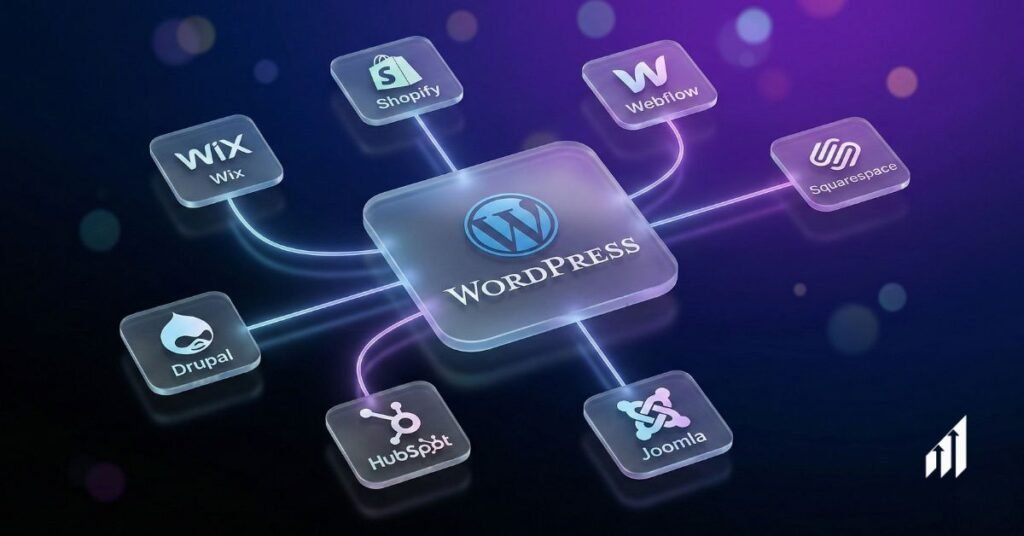
WordPress runs a large share of the web, but that does not mean it is the best fit for every business. Some sites need simpler tools. Others need stronger eCommerce, tighter security, or a cleaner content workflow. DigiEvolve helps businesses identify WordPress alternatives that fit their goals and handles custom website development services when a platform alone is not enough. This article covers six solid options, what each one is suited for, and the honest tradeoffs of choosing it over WordPress.
Highlights:
- WordPress is not always ideal
- Plugin conflicts and security risks
- Costs increase beyond free setup
- eCommerce needs stronger specialized platforms
- Design control varies by builder
- Choose platform based on goals
Why Businesses Start Looking for WordPress Alternatives?
Most businesses do not leave WordPress because they hate it. They leave because managing it starts to take more time and money than it should.
Here are the most common reasons businesses start looking at other platforms:
- Plugin conflicts and update failures bring sites down without warning
- Security vulnerabilities require paid tools and constant monitoring because WordPress is a frequent target
- Hosting, premium themes, plugins, and maintenance fees stack up well beyond the initial free setup
- Page speed drops as more plugins are added, which hurts both rankings and user experience
- The editing experience is frustrating for non-technical staff who just need to update content
- Scaling a WordPress site to handle high traffic or functionality often requires developer help
DigiEvolve has worked with clients who switched platforms for all of these reasons. Choosing an alternative comes down to what the business needs, not what is most popular.
1. Wix
Wix is a hosted website builder built around a drag-and-drop editor. Everything is included in the subscription: hosting, security updates, and the editor itself. There are no plugins to install and no compatibility issues to manage.
Wix suits small businesses, freelancers, and anyone who needs to build and manage a site without technical help. It covers blogs, portfolios, booking systems, and basic online stores. Templates are professionally designed and editable without touching code.
Pricing starts at $17 monthly with everything included. Eliminates surprise costs for plugins or security.
| Pros | Cons |
| + No technical setup required | – Once you choose a template, switching it means rebuilding the site |
| + Hosting and security are handled automatically | – Advanced eCommerce features are limited compared to Shopify |
| + Large template library for different industries | – Less flexibility for custom functionality or complicated layouts |
| + Predictable monthly cost with no add-on fees | – Not suited for large content-heavy sites |
2. Squarespace
Squarespace creates beautiful websites without design skills. Templates look polished from the start. The platform excels at visual content for photographers, artists, restaurants, and creative businesses.
Customization happens through simple style editors instead of code. Built-in features cover blogging, eCommerce, appointments, and email campaigns.
Personal plans start at $16 per month. Business and eCommerce plans go higher. Hosting is included on all plans.
| Pros | Cons |
| + Templates are among the most polished available in any builder | – Limited third-party integrations compared to WordPress |
| + All features built in, no plugin management | – Customization has a ceiling for developers who want full control |
| + eCommerce, email, and scheduling included | – Transaction fees apply on lower-tier plans |
| + Reliable hosting and uptime | – Not the best fit for content-heavy or data-intensive sites |
3. Shopify
Shopify focuses entirely on selling products online. Setting up products takes minutes instead of hours. Upload photos, write descriptions, set prices, and manage inventory from one dashboard.
Payment processing works smoothly. Accept credit cards, PayPal, and Apple Pay without a separate gateway setup. Inventory management prevents overselling and tracks stock across locations.
Pricing begins at $29 monthly. Our digital marketing agency clients choose Shopify when eCommerce matters most.
| Pros | Cons |
| + Purpose-built for eCommerce, every feature serves that goal | – Monthly cost is higher than general website builders |
| + Payment processing, inventory, and shipping built in | – Transaction fees apply unless you use Shopify Payments |
| + Scales well from small stores to large catalogs | – Blogging and content tools are basic compared to WordPress |
| + Large app marketplace for extending functionality | – Some apps carry recurring fees that add to the monthly cost |
4. Webflow
Webflow gives designers full control without coding. The visual editor produces clean code automatically. Building happens through elements and classes instead of simple drag-and-drop.
Custom animations and interactions add polish. Create hover effects and scroll animations through the interface. Results match what developers build manually.
A free plan is available for testing. Paid plans start at $14 monthly. One of the best WordPress alternatives for people comfortable with design concepts and who want more control.
| Pros | Cons |
| + Full design control without needing to write code | – Steeper learning curve than Wix or Squarespace |
| + Animations and interactions built into the editor | – Not suited for non-designers or beginners |
| + CMS handles blogs, portfolios, and frequently updated content | – eCommerce features are functional but not as strong as Shopify |
| + Clean exported code for developers who want it | – Pricing increases quickly for teams or high-traffic sites |
5. Framer
Framer started as a design prototyping tool and has since grown into a full website builder. It is known for fast-loading pages, smooth animations, and a design interface that feels similar to Figma. Framer also includes an AI feature that generates a site structure from a text description, which can speed up the early stages of a project.
Framer suits designers, startups, and small teams that want a visually polished marketing site or portfolio without managing hosting or a backend. If your team is already comfortable with Figma, the Framer workflow will feel familiar.
A free plan is available with a Framer subdomain. Paid plans for custom domains start at around $10 to $20 per month depending on the tier. Team and CMS plans cost more.
| Pros | Cons |
| + Pages load fast and animations are smooth out of the box | – CMS is basic and does not support relational content structures |
| + Familiar interface for teams already using Figma | – Not suited for large or content-heavy sites |
| + AI page generation speeds up early design work | – Learning curve for users not familiar with design tool logic |
| + Global CDN hosting included with paid plans | – Customer support has been inconsistent based on user reports |
| + Large template marketplace from community designers | – Pricing can feel high relative to the feature set for high-demanding projects |
6. Drupal
Drupal is an open-source CMS that has been around for over twenty years. It is used by large organizations, government agencies, universities, and enterprises that need a site capable of handling complicated content structures, high traffic, and strict security requirements. The January 2025 release of Drupal CMS introduced a new Experience Builder with drag-and-drop editing, making the platform more accessible to non-developers than previous versions.
Drupal works for organizations that have technical resources and need a platform that can scale, handle multiple content types, manage user permissions across large teams, and support multilingual content without plugins. It is not suited for small businesses that need a quick setup or teams without developer support.
Drupal itself is free and open source. Hosting, developer time, and support are where the costs come from. Managed Drupal hosting through providers like Acquia or Pantheon runs into hundreds per month for enterprise needs. Developer rates typically run from $40 to $100 per hour, depending on the project.
| Pros | Cons |
| + Handles complicated content structures that other platforms cannot | – Steep learning curve for both developers and content editors |
| + Strong security record, favored by government and enterprise | – Setup and ongoing maintenance require dedicated developer support |
| + Multilingual support built into the core | – Smaller theme and module library compared to WordPress |
| + Scales to high traffic without performance degradation | – Major version upgrades are time-consuming and can break modules |
| + API-first structure suits headless and decoupled builds | – Not a quick-launch option, projects take longer to go live |
The Bottom Line
The best way to decide which platform to choose is to start with what the site needs to do, then match that against what each platform handles well.
- If you need to sell products and want eCommerce to be the focus, Shopify handles this better than anything else on this list
- If you need design quality without developer costs, Squarespace or Framer get you there faster
- If you need design control and flexibility for a client or agency project, Webflow gives you more room than a standard builder
- If ease of use matters more than anything else for a small team, Wix removes the most friction
- If your organization needs content, high security, or government-grade infrastructure, Drupal is the platform built for that
Switching platforms does not hurt search rankings when redirects are handled correctly. Every platform on this list supports 301 redirects from old URLs. Export your content from WordPress before you migrate and test the new site before you point your domain at it.
DigiEvolve provides custom website development services and migration support for businesses moving from WordPress to any of these platforms. The team handles the technical work so you can focus on your content and business instead of database transfers and broken links.
You May Need to Read:
What Does a Website Designer Do